
Outstanding Tiny Desk AI template
See how five portraits become one performance. Watch the example, meet the cast, then make it your own.
By Tiny Desk Outstanding · Updated
Five photos. One performance.
These are the AI portraits used in this sample. Match each face to its moment in the video, from the band opening to the singer and saxophone close-ups.
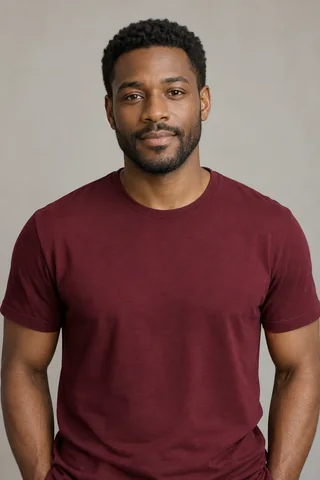
Lead 
Backup 1 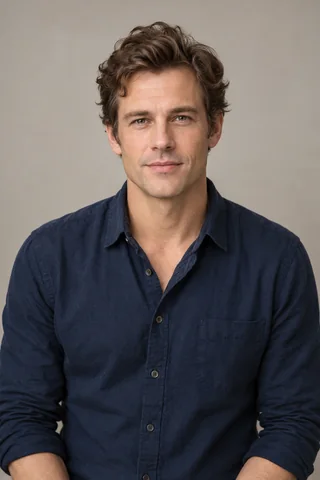
Backup 2 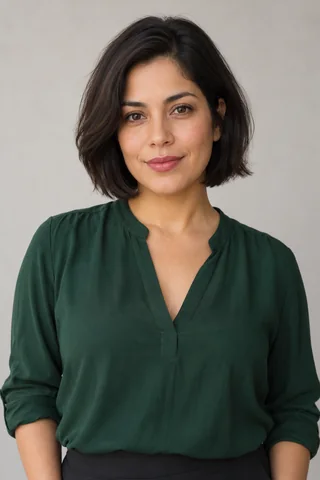
Backup 3 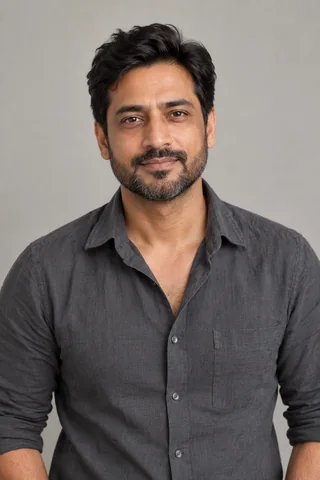
Sax
The Outstanding Tiny Desk AI template keeps the performance format while you choose the people. Start with five separate portraits for a group, or use one portrait in Solo mode.
Make your own Follow the step-by-step guideWho goes in each role?
- Lead
- Choose the person you want in the singer’s close-up. A clear face gives this central moment the most useful detail.
- Backup 1, 2 and 3
- These three slots make up the surrounding band. In this example, Backup 1 is at the keyboard; Backup 2 and Backup 3 appear behind the lead.
- Sax
- Give the saxophone moment its own face. Upload that person’s portrait to Sax, even if they also appear in your group photo.
What does the template make?
A short, vertical 720p MP4 with the Outstanding performance and original sound. The sample runs about 15 seconds. Sound is on by default; choose the silent option in the maker if you prefer.
Watch the faces as the camera changes. A good starting photo has one person, an unobstructed face and room around the head and shoulders. Crop other people out before uploading, especially when choosing photos from a group.
See portrait and crop examplesWant to play every part?
Choose Solo in the maker. One portrait fills all five roles, so you can be the whole band. The video above shows Five people; your own result is generated from the photos you select.
No prompt or editing project is needed. Add your photos, check your cast and select Create my video to review the order before checkout. Your finished MP4 will be available in My workspace.