
Start with a clear face
Use one well-lit adult per photo. Keep the whole face visible, with room around the head and shoulders.
Make your videoLeave a little room
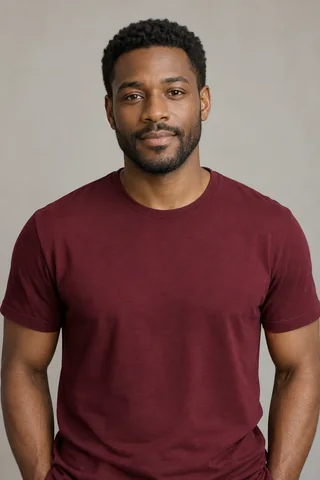
The same AI portrait, shown with different crops. These are input examples, not a comparison of generated results.
Can you see the face clearly?
Check the eyes and mouth before uploading. Use your original photo instead of a small chat thumbnail.
A larger file does not fix blur. Choose another photo if the face is hidden, dark or out of focus.
Before you upload
- File type
- JPG, PNG or WebP
- File size
- Up to 10 MB per photo
- Dimensions
- At least 240 px on each side
These are upload limits, not a promise of image quality. Export HEIC photos as JPG first.
- Choose one adult per photo, with their permission. Avoid group photos, sunglasses and covered faces.
- If needed, crop in your phone’s photo editor. Keep the full face and some shoulder space.
- For Solo, upload one portrait. For Five people, prepare one for each role.